Signal Faces

Wear OS6+

Watch faces, set from your phone.

Signal Faces is a phone app with a shelf of hand-built faces for your Wear OS watch. Pick one, tap Install, and it’s on your wrist a moment later, over Bluetooth.

Coming soon toGoogle Play

How it works
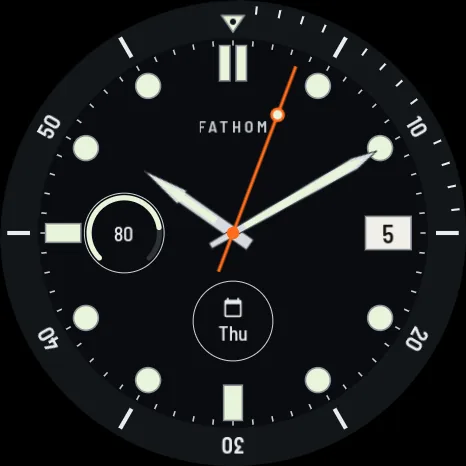
A black dive-style face: luminous hour markers, a rotating bezel scale, a date window and a battery sub-dial.
Shown: a dive face10:10

The faces

6 of many
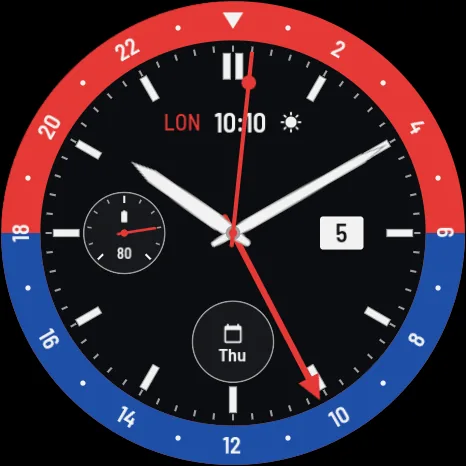
  • A GMT face with a red and blue twenty-four-hour bezel.
    GMT
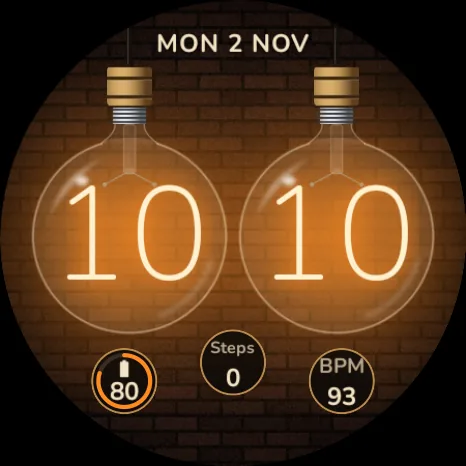
  • Two glowing orange nixie tubes showing the hour and minute against brick.
    Nixie
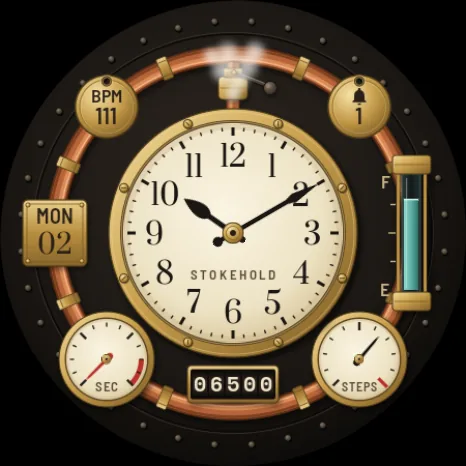
  • A steampunk face of brass pipes and gauges around a cream clock dial.
    Steam
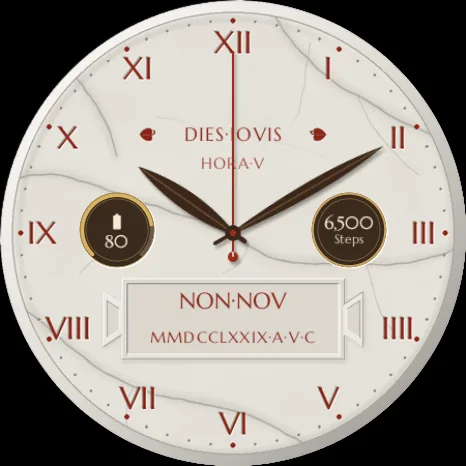
  • A cream marble face with Roman numerals and the date written in Latin.
    Roman
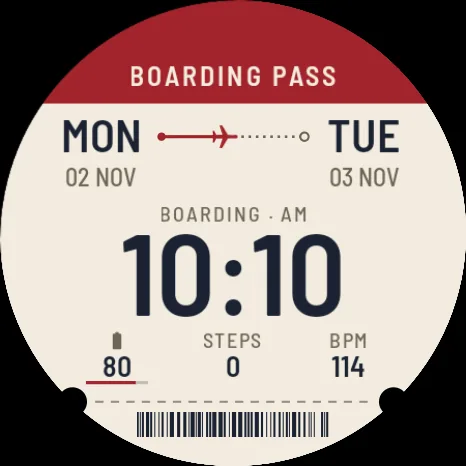
  • A face drawn as an airline boarding pass, with the time printed large.
    Boarding pass
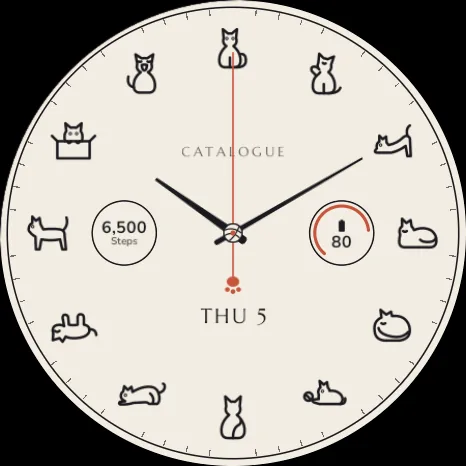
  • A cream face with a small line-drawn cat at each hour.
    Catalogue

How it works

3 steps
  1. 01

    Install the app

    Get Signal Faces on your Android phone. Its small watch companion installs from Google Play on the watch.

  2. 02

    Pick a face

    See what’s new this week, or search by what a face shows, its style, colour or price, and look closer at any face before you choose.

  3. 03

    Tap Install

    The face goes to your watch over Bluetooth and becomes your watch face. Swap it for another any time.

See it on your wrist

Phone, then watch

Screens from the app itself, not mock-ups. You choose on the phone; the watch takes it from there.
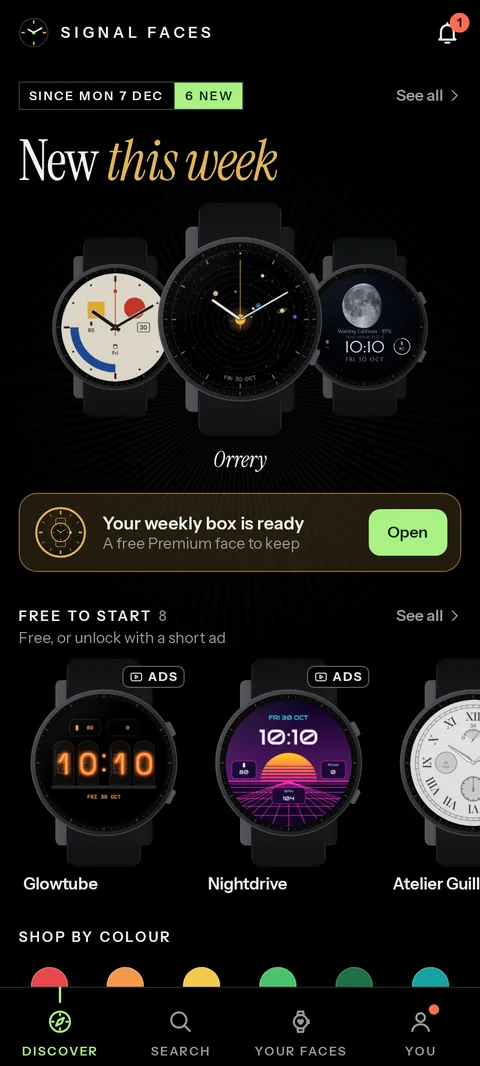
  • Discover, the app’s first tab: New this week, with three of the newest faces fanned out and Orrery in front, the weekly box ready to open, and Free to start, faces that are free or unlock with short ads.
    01Discover
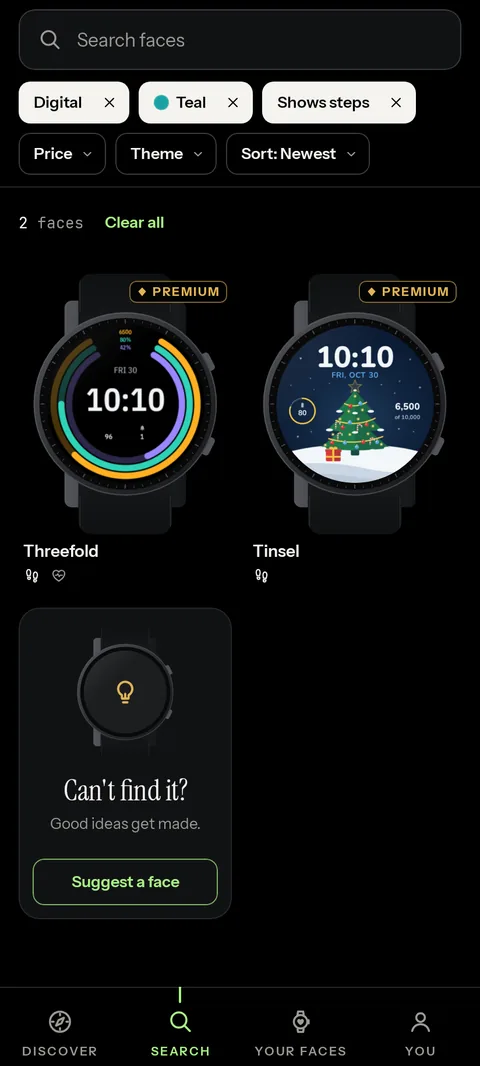
  • Search with three filters picked, Digital, Teal and Shows steps: two Premium faces match, beside a card that reads Can’t find it? with a button to suggest a face.
    02Find yours
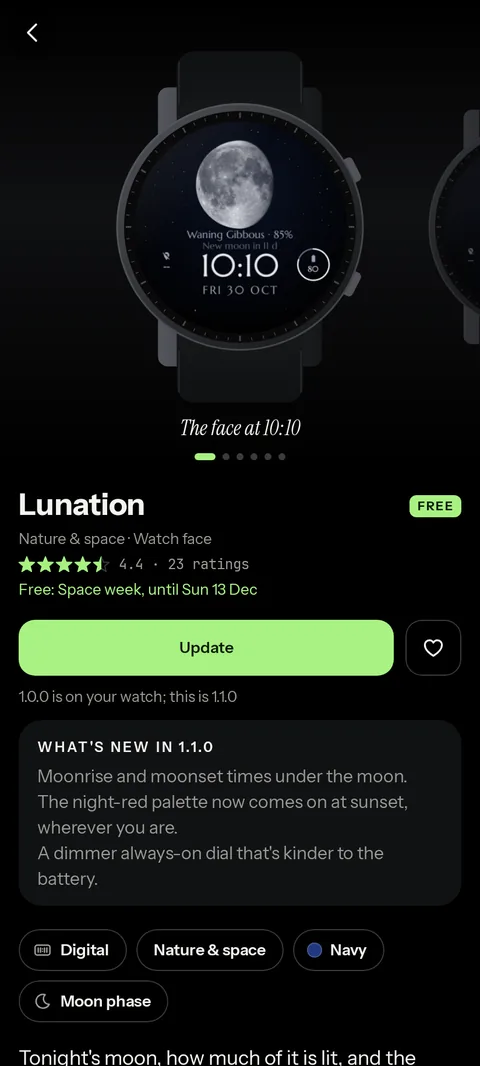
  • A face’s page: the Lunation moon-phase face in its watch, its star rating, a Free label, an Update button with a heart beside it to save the face, and what’s new in version 1.1.0.
    03A closer look
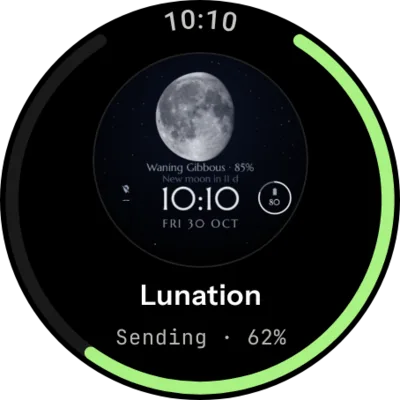
  • The watch while a face arrives: a preview of Lunation inside a green progress ring, reading Sending, 62 percent.
    04SendingOver Bluetooth, in seconds.
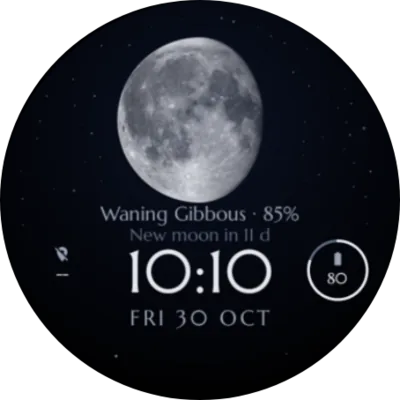
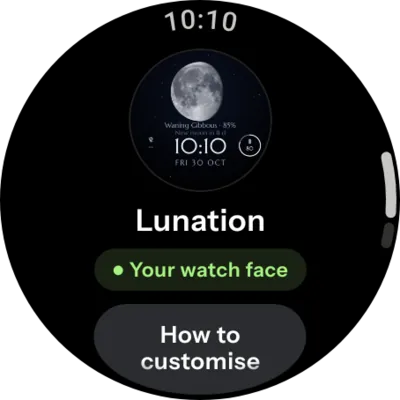
  • The Lunation face on the watch: the moon at 85 percent, the time 10:10, the date and the battery level.
    05On your wristIt becomes your watch face.
  • The Signal Faces app on the watch, showing Lunation as your watch face, with a button for how to customise it.
    06The watch appShows the face you’re wearing.

Free, unlocked, Premium

Billed by Google Play
FreeAlways

Free faces stay free

Install them, keep them and swap between them as often as you like. Nothing to unlock. Each face says on its page whether it’s free.

UnlockedFor good

Unlock a face for good

Your first premium face is on us: your welcome face. Every Monday your weekly box holds another, picked for you. And a few short ads unlock more premium faces, yours for good; faces marked Ads unlock the same way. The app shows how many ads a face takes before you start.

PremiumEvery face

Every face, no ads

Premium unlocks every face, and the new ones as they arrive, with no ads.
  • Monthly
  • Annual, with a 7-day free trial
  • Lifetime, paid once
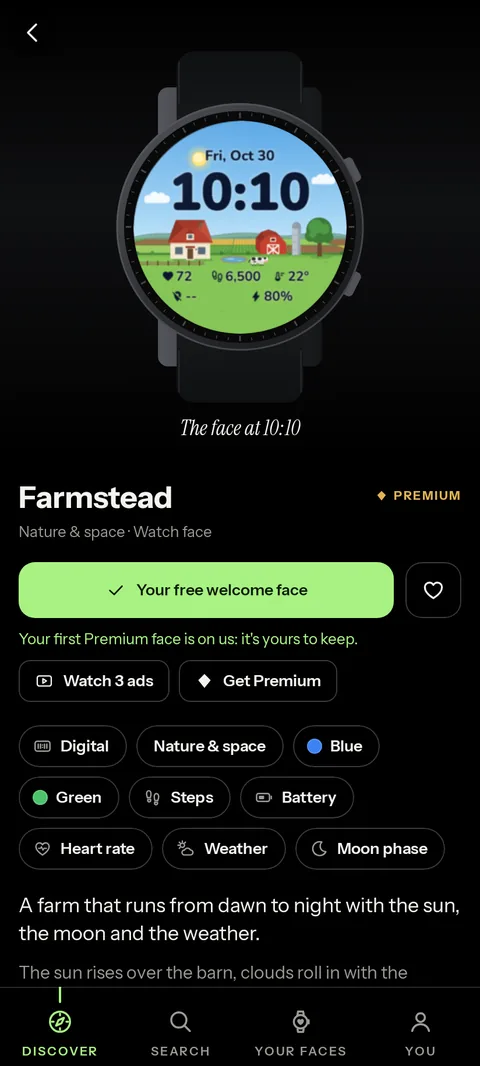
  • A premium face’s page with a button reading Your free welcome face, a line saying your first Premium face is on us and yours to keep, and Watch 3 ads and Get Premium as the other ways in.
    AYour welcome face
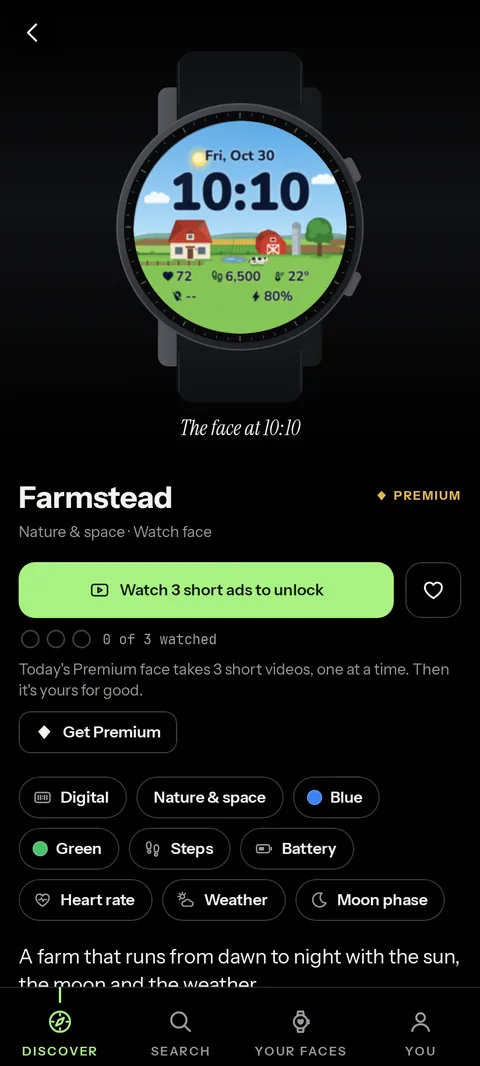
  • A premium face’s page with a button reading Watch 3 short ads to unlock, three empty marks for the ads to come, a line saying today’s Premium face takes 3 short videos, one at a time, and a Get Premium button below it.
    BWatch ads

Premium is billed by Google Play, and you can cancel any time in Google Play. Bought it already? Restore purchases in the app, on a new phone too, with the same Google account. More in Support.

What you need

Faces are installed with Google’s Watch Face Push, which arrived in Wear OS 6. Older watches can’t take them.

Watch
Wear OS 6 or newer, for example a Samsung Galaxy Watch or Google Pixel Watch that has the Wear OS 6 update. Compatible watches
Phone
An Android phone with Google Play, paired with the watch
Connection
Bluetooth to the watch; internet on the phone to browse the faces
Account
Sign in with Google, one tap. Your faces follow you to a new phone.
Help
Support guide · [email protected]